
How to Reply to ‘Is This Still Available?’
Honest, quick replies to “Is this still available?” for available, pending, and sold items, plus how to handle the buyers who never reply. Ready-to-adapt examples from the developer of a saved-reply keyboard.
If you have ever sold anything online, you know the message. It arrives within minutes of posting, often as a pre-filled button tap: “Is this still available?”
Then you answer, and nothing. No reply. Then another one arrives. Then another.
I build Switchy, a saved-reply keyboard for iPhone, and this exact message is the kind of thing quick replies were made for. You will answer it dozens of times, and the right answer depends on just one fact: the item’s status. So the trick is not writing a clever reply. It is having one ready for each status and knowing which to use.
For replies beyond selling, see canned responses on iPhone.
Pick the reply by status
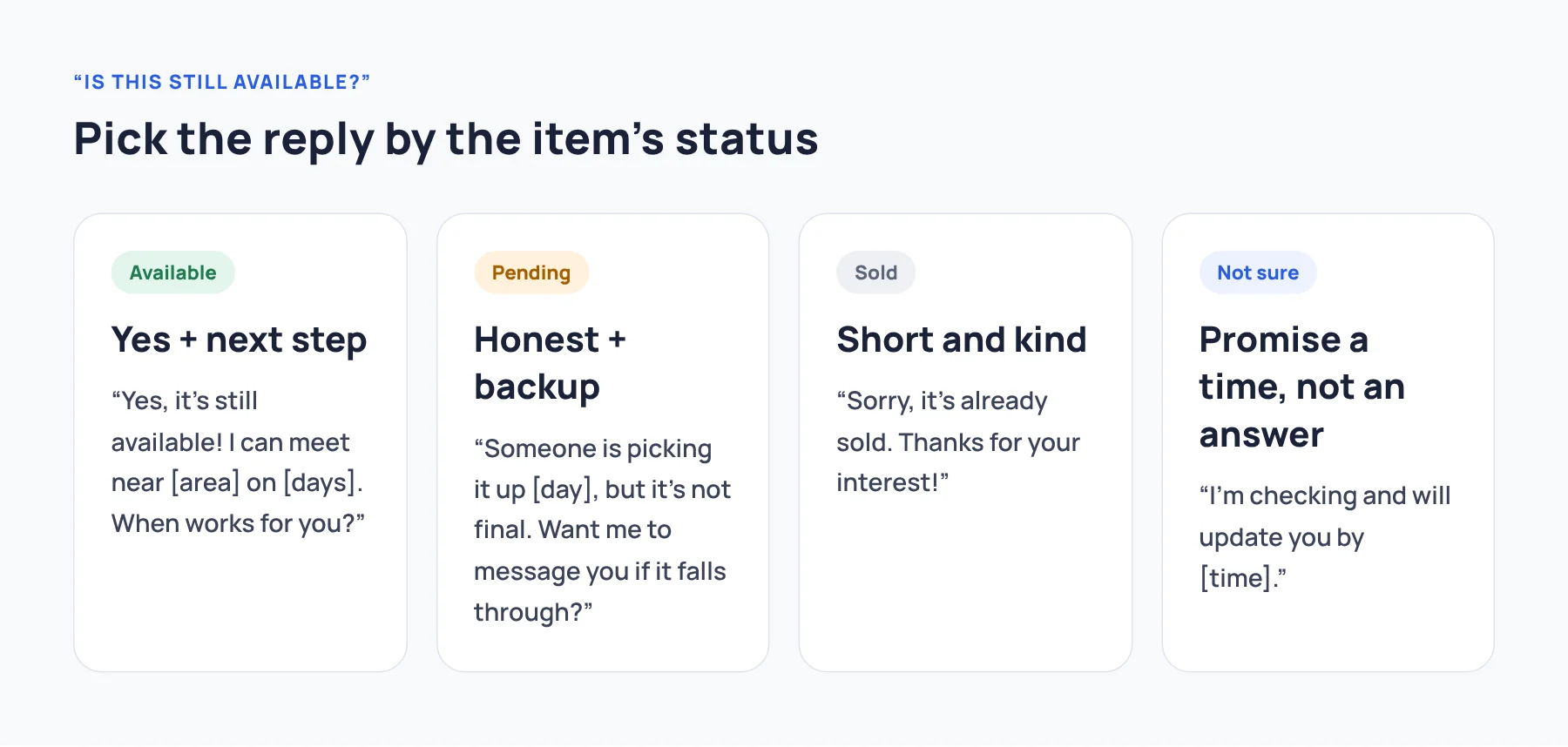
| Item status | Your goal | Reply style |
|---|---|---|
| Available | Move the buyer to a next step | Yes + one useful detail + a question |
| Pending (someone else is interested) | Be honest, keep them as a backup | Explain + offer to message them |
| Sold | Close it politely | Short and kind |
| You are not sure yet | Do not promise | Say when you will know |
When it is available
The best “yes” replies do two things: confirm, and give the buyer an easy next step. A plain “Yes” often ends the conversation, because the buyer still has to think of what to ask next.
Yes, it’s still available! It’s in good condition, and I can meet near [area] on [days]. When works for you?
Hi! Yes, it’s available. Pickup is in [area], or I can ship it for [shipping cost]. Which do you prefer?
Yes, still available. Do you have any questions about it?
Ending with a question is the single best habit here. It invites a real answer instead of silence.
When someone else is ahead in line
This is where honesty saves you trouble later.
Hi! Someone else is planning to pick it up [day], but it’s not final yet. Want me to message you if it falls through?
Thanks for asking! It’s on hold for another buyer right now. I’ll let you know if it becomes available again.
Do not say “it’s available” and then sell it to whoever shows up first. You will spend more time on angry messages than you saved.
When it is sold
Short, kind, done.
Sorry, it’s already sold. Thanks for your interest!
Thanks for reaching out. This one is gone, but I have a few similar items listed if you’d like to take a look.
And mark the listing as sold as soon as you can. It is the only way to make the messages stop.
When you are not sure yet
Thanks for your message! I’m checking on it and will update you by [time]. Sorry for the wait.
Only use this if you will actually follow up by that time.
About the buyers who never reply
Here is the part most guides skip. Many “Is this still available?” messages are low-effort taps. Some buyers send them to several sellers at once and only answer the first reply that suits them. That is normal. It is not about your item.
What helps:
- Answer quickly. Speed matters more than wording here.
- Ask a question at the end. It turns a tap into a conversation.
- Do not chase. If they do not answer, move on. Do not hold the item for silence.
This is exactly why saved replies help so much with this message: you can answer in seconds, with a good reply, without spending your energy on people who may never respond.
Make your replies reusable
Save one reply per status, with blanks for the parts that change:
[area]for your pickup location[days]or[day]for availability[shipping cost]if you ship
Before sending, fill the blanks and double-check the item. Never save a reply that says “available” as if it were always true. The status is the one thing you must check every time.
If you want to build a small set of replies for selling and other situations, see canned responses on iPhone.
Where to go next
Four saved replies (Available, On hold, Sold, Checking) cover this message almost entirely. To compare ways of saving them, see how to choose an iPhone quick-reply keyboard.